A Practical Guide to Screening Suspicious Instagram Profiles Before You Engage
Instagram rewards speed: a polished grid and a friendly bio can make a stranger feel familiar in seconds. Scammers rely on that. A fake profile only has to look plausible long enough to start a conversation, collect information, or build trust. A fake Instagram account checker helps, but it works best inside a routine. Here is how to inspect the profile, test the photos, and act on what you find.
Start With the Profile’s Paper Trail
Before you test any image, read the account like a skeptical stranger. A brand-new profile with very few posts and a large follower count is a common warning sign. So is a burst of posts followed by silence, or comment sections filled with generic praise—“Beautiful,” “Nice,” “Great profile”—on dozens of unrelated accounts. None of these proves a profile is fake, but together they are reasons to look closer.
Check the account’s history next. Does the bio match the photos? Does the person claim to be a local model or business owner while posting the same few selfies from different angles? Are the captions copy-pasted? Look at tagged photos and mentions. Real social circles leave a trail: friends tagging each other, event photos, old posts, ordinary updates. A fake profile often has a polished surface with very little human context underneath. A new account, few posts, many followers, and generic comments are common signs of a fake or scam profile, especially when the profile has no local connections and no tagged history.
Use a Checker at the Moment of Doubt
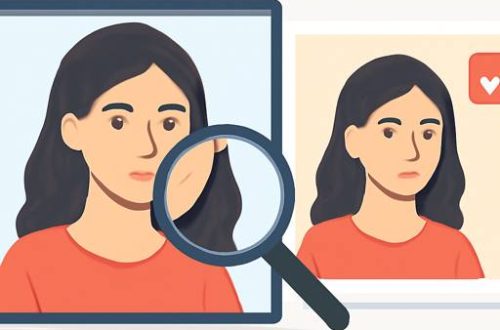
The best time to run a check is when a profile makes you hesitate: before you follow, reply, share personal details, or move the chat to another app. A profile photo is often the first thing you see and the easiest thing to fake. Old catfish accounts stole images from other Instagram users or Google Images, which made reverse image searches useful. Today, a scammer can create a face that does not exist anywhere else online. There is no original to match, so manual inspection can fail without giving you an obvious error.
That is where a dedicated tool earns its place. With Faux Spy’s Chrome extension, you can open Instagram, hover over or right-click a photo, and get a real-or-synthetic verdict in about two seconds. On a computer, the extension works directly on Instagram, so you do not need screenshots. If you prefer an upload, screenshot the profile photo or post, crop it to just the picture, and use the web checker. The free tier gives you 3 checks per day with no account required. Pro offers 200 checks a month, deepfake detection, and manipulation analysis for $9.99/mo or $99/yr. For most casual checks, the free version is enough; for brand managers, online daters, or people reviewing many user-submitted photos, the deeper checks can help. You can try the fake Instagram account checker when you want a second opinion before you engage.
Read the verdict as one piece of evidence, not a complete character judgment. A red result means the image shows signs of being generated or manipulated, which is a strong reason to pause and verify further. A green result means the image looks real, but it does not prove the person behind the account is honest. Scammers also use stolen real photos, mixed real-and-edited images, and accounts that look normal at first glance. The checker narrows the field; your judgment finishes the job.
Three Practical Examples and What to Do Next
- The too-perfect local model. The bio says she is a model from your area, the photos are flawless, and every image has a different outfit and setting. A reverse image search finds nothing because the face was newly generated. Hover over two or three photos. If they come back as synthetic, do not follow, message, or share anything. Block and report the profile, then move on.
- The new account with instant affection. You get a follow request from an account with few posts and many followers. The comments are full of generic praise. The person messages quickly and tries to build trust before asking for money, private images, or account access. Check the photos, then look at the account history. A new account, thin posting history, and generic comments are common signs of a fake or scam profile. If the checker flags the images, end the conversation without explaining why.
- The mixed-results profile. Some photos look real, one or two look edited, and the account has a believable but shallow history. Mixed results are not a green light. Use Pro’s deepfake and manipulation analysis if you need more detail, then check tagged photos, older posts, and comments before trusting it. If the story does not hold together, step away.
Each example points to the same habit: check before you engage, not after you have shared something. The cost of a two-second check is tiny compared with the cost of sending money, sharing private images, or giving someone access to an account.
Build a 60-Second Screening Habit
A practical routine beats a one-time panic check. First, glance at the profile’s age, post count, follower ratio, and comment quality. Second, look for a hollow paper trail: few posts, many followers, generic comments, no tagged photos, no local context. Third, test the profile photo and one or two recent images with a fake Instagram account checker. Fourth, read the verdict alongside the account history. Fifth, act immediately: if the images are consistently flagged and the account looks thin, block and report; if the results are mixed, investigate before you trust; if everything looks real, stay cautious but continue normally.
Scale matters. Instagram disabled more than 1.5 billion fake accounts in a single quarter, according to Meta enforcement data, and fake accounts have become a leading enforcement category across Meta’s platforms. Instagram’s systems catch many of them, but detection is reactive. By the time a fake is disabled, it may already have messaged you, collected information, or scammed someone you know. Instagram’s enforcement precision is above 87% on content removals, according to Meta’s integrity reporting, but that still leaves room for harmful content to pass through. Separately, 22% of FTC scams originate from fake profiles. Those numbers are a reminder to verify the person in front of you, not to assume the platform has already done it for you.
The final step is the one people skip: act on what you find. If the photos are synthetic and the account is thin, do not negotiate, do not send a test message, and do not give the profile a chance to explain. Block, report, and move on. If the account is mixed, slow down and gather more evidence. If the profile seems real, keep normal boundaries and let trust build over time. A checker does not replace common sense, but it gives common sense a faster starting point.

Marseille street-photographer turned Montréal tech columnist. Théo deciphers AI ethics one day and reviews artisan cheese the next. He fences épée for adrenaline, collects transit maps, and claims every good headline needs a soundtrack.

Théo Legrand
Marseille street-photographer turned Montréal tech columnist. Théo deciphers AI ethics one day and reviews artisan cheese the next. He fences épée for adrenaline, collects transit maps, and claims every good headline needs a soundtrack.