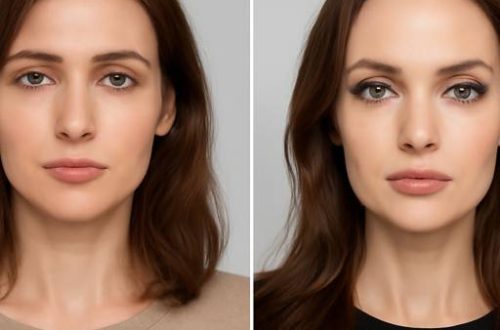
AI Video Generator: How Anyone Can Produce Studio-Grade Video in Minutes
For most of the last two decades, video production followed a predictable hierarchy. Agencies with cameras, lighting rigs and editing suites got the best results; everyone else settled for stock footage or shaky phone clips. That hierarchy is collapsing fast. An ai video generator can now turn a written prompt, a single photograph or a four-second reference clip into finished footage that holds up on a phone screen, a paid social placement or a presentation to a client.
The shift matters because attention is finite and expensive. A brand that once published four polished videos a year can now publish forty variations a week, testing hooks, faces, colours and calls to action against one another in real time. Musicians, indie filmmakers, e-commerce sellers and agencies are all quietly rebuilding their pipelines around these tools. This guide explains what the technology actually does, where it delivers the strongest return, and how to choose a platform that survives contact with a real production deadline.
What an AI Video Generator Actually Does
At its core, an ai video generator converts an input — text, an image, a video clip, or some combination of the three — into new moving footage. Behind the interface sit diffusion and transformer models trained on enormous libraries of visual material. They learn how light falls on skin, how fabric folds when someone turns, how crowds drift through a street scene, and then reproduce those patterns frame by frame instead of filming them.
Inputs generally fall into a handful of recognisable categories. Text-to-video generates footage from a written description, which is powerful for mood boards and B-roll but offers limited control over fine detail. Image-to-video animates a still photograph, making it the fastest route from a product shot or portrait to a moving clip. Video-to-video, often called motion transfer or performance transfer, takes an existing clip and rebuilds it with a different subject while preserving the original camera movement and timing.
That last category is where the most striking results appear. Motion Control, the technique popularised by ai video generator platforms such as Distribea, lets a creator upload a four to thirty second clip — or pick from a library of thousands of pre-vetted scenes — add a single photo, and receive the same choreography with a new face, outfit, product, car or location. A dance trend filmed by a stranger becomes a brand mascot dancing in a warehouse. A runway walk becomes a sneaker reveal. The reference clip supplies the physics; the photo supplies the identity.
Alongside generation, modern tools bundle a surprising amount of post-production. Expect automatic lip sync, background removal, upscaling, frame interpolation, voice cloning, subtitles, music generation and aspect-ratio reframing. Model choice matters here: Google’s Veo, ByteDance’s Seedance, Kling and Wan each have distinct strengths, from photorealism to stylised motion, and the best platforms let users switch between them rather than locking into one engine.
The practical consequence is speed. A concept that once required casting, a location permit, a crew of six and a two-week edit can now be drafted before lunch. That does not make traditional filming obsolete — it makes iteration cheap, which is precisely what modern content calendars demand.
Where AI Video Delivers the Biggest Return
The strongest use cases share one trait: they need volume and variation rather than a single hero asset. Performance marketing is the clearest example. A direct-to-consumer brand selling skincare can generate fifteen versions of the same testimonial-style video, swapping the on-screen face, the background and the opening hook, then let the ad platform find the winner. Producing those variants with a real camera would cost thousands; producing them with an ai video generator costs credits and an afternoon.
Product swaps and virtual try-ons follow the same logic. Instead of reshooting a model in every colourway of a jacket, a team animates one reference clip and replaces the garment. Furniture retailers drop a sofa into a dozen living rooms. Automotive marketers place a new model on roads filmed on three continents. Because the underlying motion is reused, the results feel consistent across an entire campaign rather than stitched together from unrelated shoots.
Musicians and independent filmmakers have adopted motion transfer for a different reason: it unlocks ideas that were previously unfundable. A track that would have needed a seven-thousand-euro video can get a visually coherent treatment built from existing archive footage and a handful of stills. Directors use the same tools for pre-visualisation, blocking out complex sequences in hours so that a shoot day is spent executing rather than experimenting.
Local and regional businesses benefit in ways that are easy to overlook. A restaurant in a mid-sized European city does not need a cinematic brand film; it needs fresh short-form video every week showing dishes, staff and atmosphere. Photographing a signature plate once and animating it into several short clips keeps a social calendar full without hiring a videographer on retainer. Agencies serving multiple local clients can run the same approach across an entire portfolio, which is why the model is spreading quickly through smaller markets rather than only through global brands.
There is also a genuine creative upside that goes beyond efficiency. Motion transfer lets a creator appear alongside a historical figure, step into a painting, or place a product in a scene that would be impossible to film. Those are not shortcuts — they are ideas that simply could not exist before the tools did.
How to Choose the Right Platform
Feature lists look similar across vendors, so the differentiators tend to sit in workflow details. Start with input flexibility. A platform that only accepts text prompts limits how much control a creator retains. One that accepts reference video, images and text gives a director far more precision, especially when a client has already approved a specific look or movement.
Next, examine duration and resolution. Most engines output clips measured in seconds, which is fine for social but insufficient for a two-minute brand film. Check whether the tool offers upscaling, frame interpolation or scene extension to bridge those gaps, and whether output supports the aspect ratios you actually publish in — 9:16 for vertical feeds, 1:1 for certain placements, 16:9 for YouTube and presentations.
Licensing and commercial rights deserve more attention than they usually get. Confirm that generated footage can be used in paid advertising, that reference clips carry appropriate permissions, and that no watermark appears on commercial tiers. For agencies handling client work, unclear rights are a liability that no discount justifies.
Cost structure shapes behaviour more than headline pricing suggests. Credit-based systems reward experimentation, but only if the credits stretch far enough to allow real iteration. A plan that bundles AI images, AI video across multiple models, music, voice and stock footage under one credit balance removes the friction of juggling four subscriptions — and friction, not quality, is what usually kills a content workflow. Entry points around twenty euros a month have made this accessible to freelancers, not just studios.
Finally, consider output consistency. Generating one beautiful clip is easy; generating twelve that look like they belong to the same campaign is hard. Look for tools that preserve character identity, colour grading and lighting across shots, and that offer project organisation so a series stays coherent as it scales.
Building a Workflow That Actually Ships
Tooling alone does not produce results. A reliable process starts with a reference. Pull a clip that already performs well — a trending dance, a satisfying product rotation, a memorable transition — and treat it as the template rather than inventing motion from scratch. Proven movement carries proven retention.
From there, prepare clean source imagery. A well-lit photo on a plain background transfers far more convincingly than a blurry screenshot, and a product shot with crisp edges swaps into a scene with fewer artefacts. Generate three to five variations rather than one, compare them side by side, and keep only the version where hands, hair and reflections behave plausibly.
Then optimise for the platform it will live on. Front-load the hook within the first two seconds, add captions because most feeds play muted, and pair the footage with sound that matches the energy of the motion. Finally, publish in batches and measure. Because variation is cheap, the goal is not a perfect video — it is a fast feedback loop where the algorithm tells you which face, hook and product angle deserves the next round of budget.
Looking ahead, expect clips to grow longer, character consistency to tighten, and real-time generation to move from demo reels into live production. Expect clearer labelling rules and provenance standards as regulators catch up. The creators who thrive will not be the ones with the largest budgets, but the ones who treat an ai video generator as a camera that never runs out of film — and who keep the ideas coming faster than the tools can render them.

Marseille street-photographer turned Montréal tech columnist. Théo deciphers AI ethics one day and reviews artisan cheese the next. He fences épée for adrenaline, collects transit maps, and claims every good headline needs a soundtrack.

Théo Legrand
Marseille street-photographer turned Montréal tech columnist. Théo deciphers AI ethics one day and reviews artisan cheese the next. He fences épée for adrenaline, collects transit maps, and claims every good headline needs a soundtrack.